Shift Planning & Scheduling

Features /

4.6/5 Reviews

Shift scheduling built right into your time tracking.

Build shifts from templates and rotations and compare them directly with tracked hours, time off and project time. Rule checks run automatically. One system, no spreadsheets.

Four user portraits next to a circle with "10k+" indicating more than 10,000 TimeTac users

Over 10,000 companies trust TimeTac.

No credit card required. No hidden costs.

Shift Scheduling
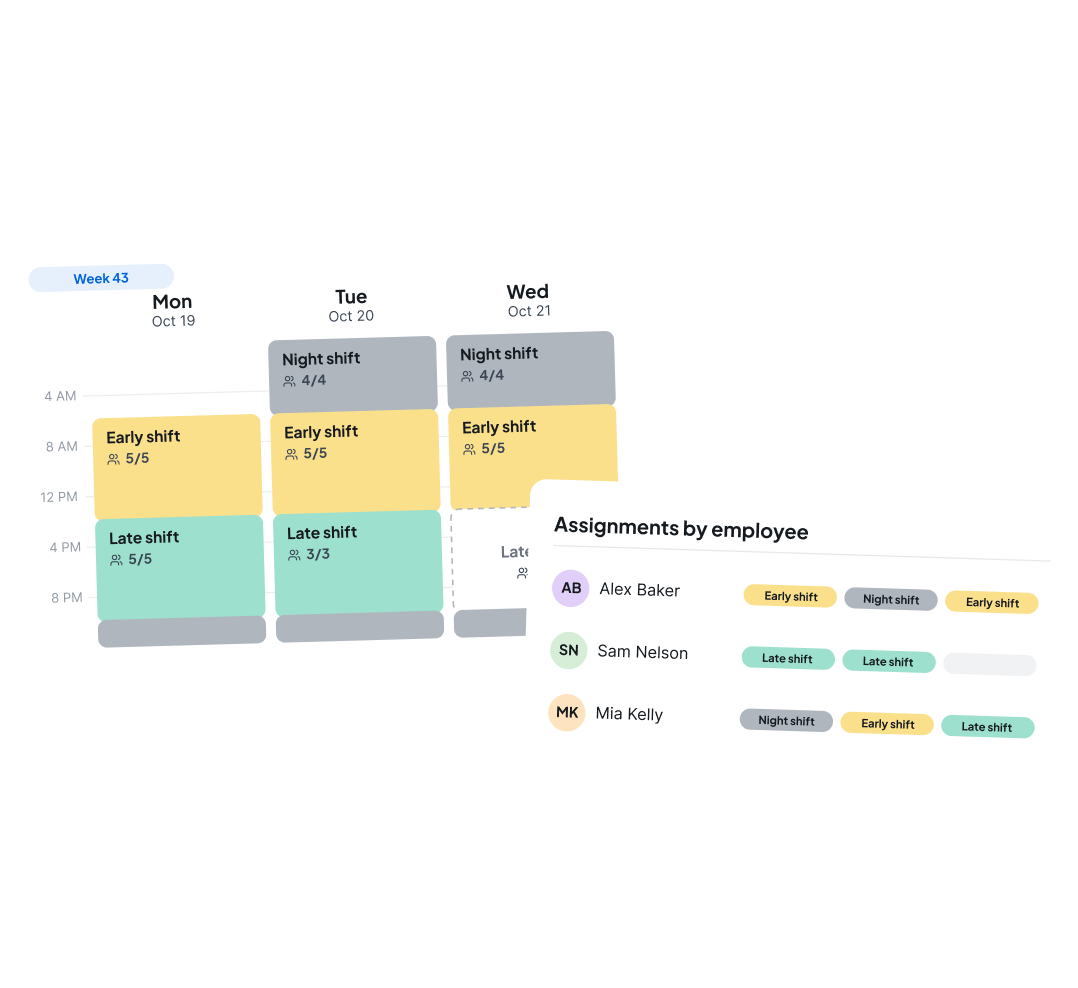
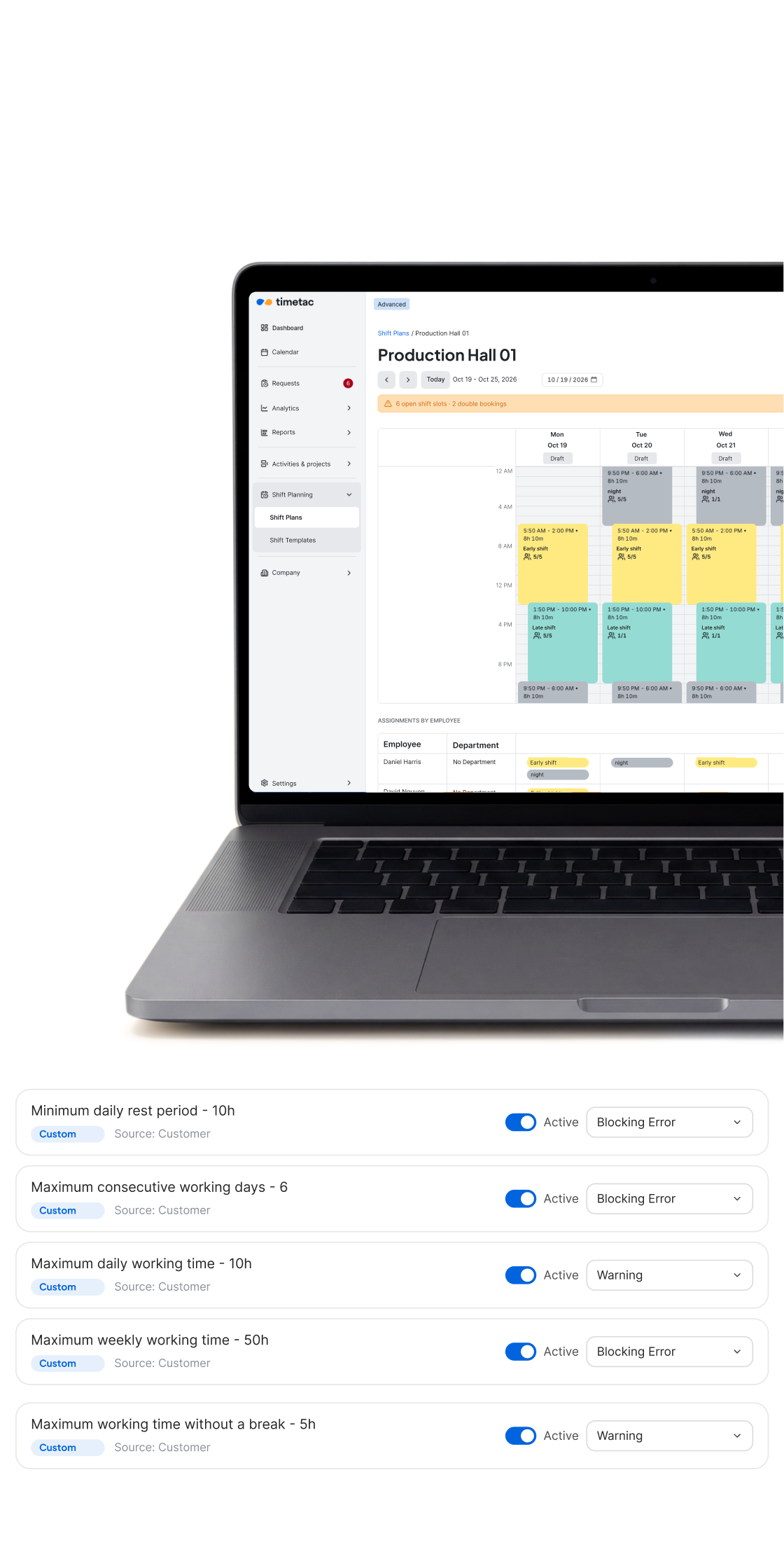
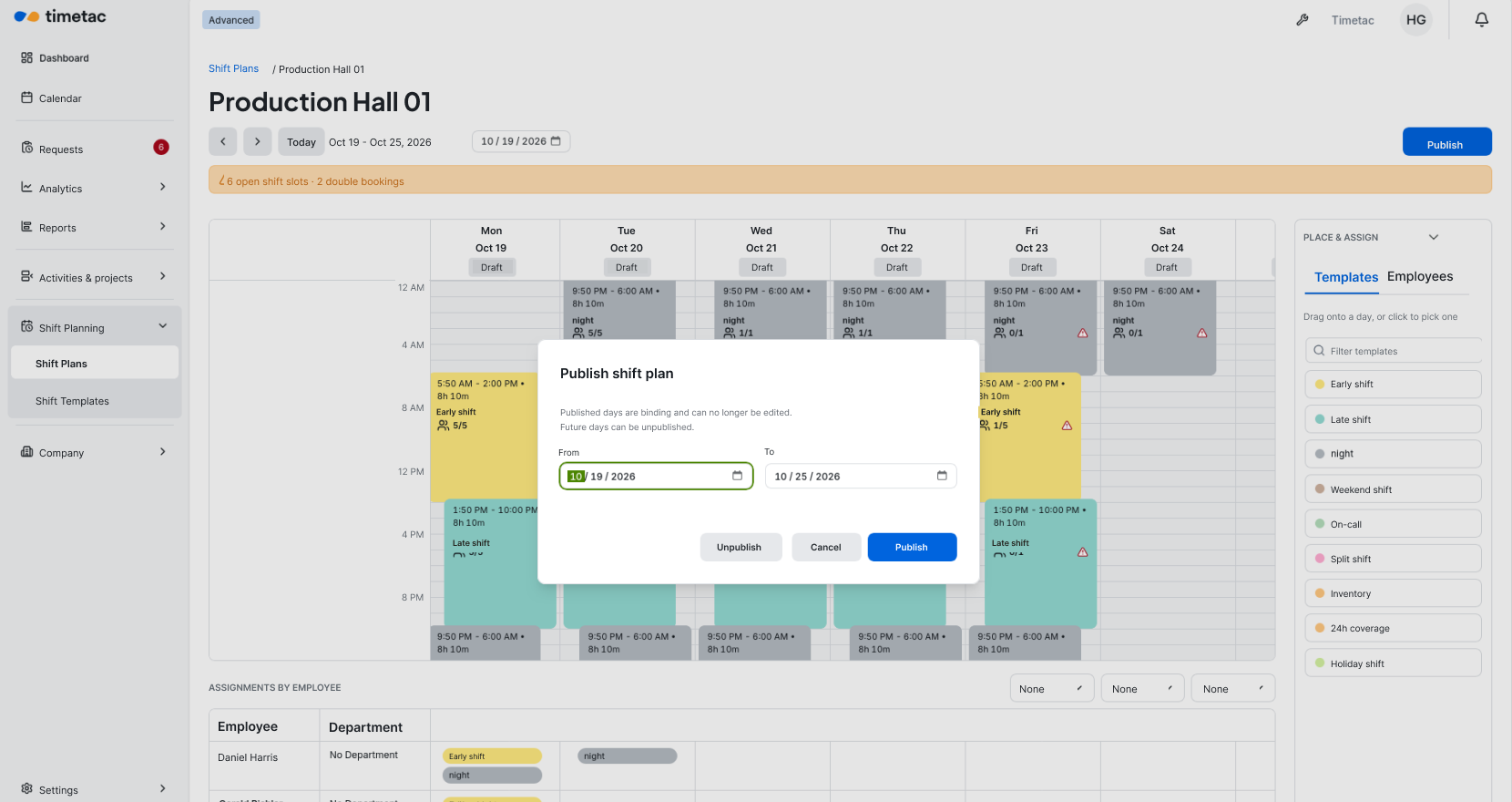
TimeTac Shift Planning with a weekly overview of early, late and night shifts and assignments by employee
Shift templates
Define morning, evening and night shifts once, including breaks and shifts that run past midnight.
Rotating schedules
Set up a shift rotation once and it carries over automatically for the weeks ahead.
Shift schedules meet time tracking
Employees see their published shifts and tracked hours together in one view.
Check hours and rest time
Check rest between shifts and maximum working hours while you plan, before anything goes live.
Schedules on your phone
Employees see their shifts on mobile and can request shift swaps for approval.
TimeTac Shift Planning: weekly overview with color-coded shifts for a manufacturing team
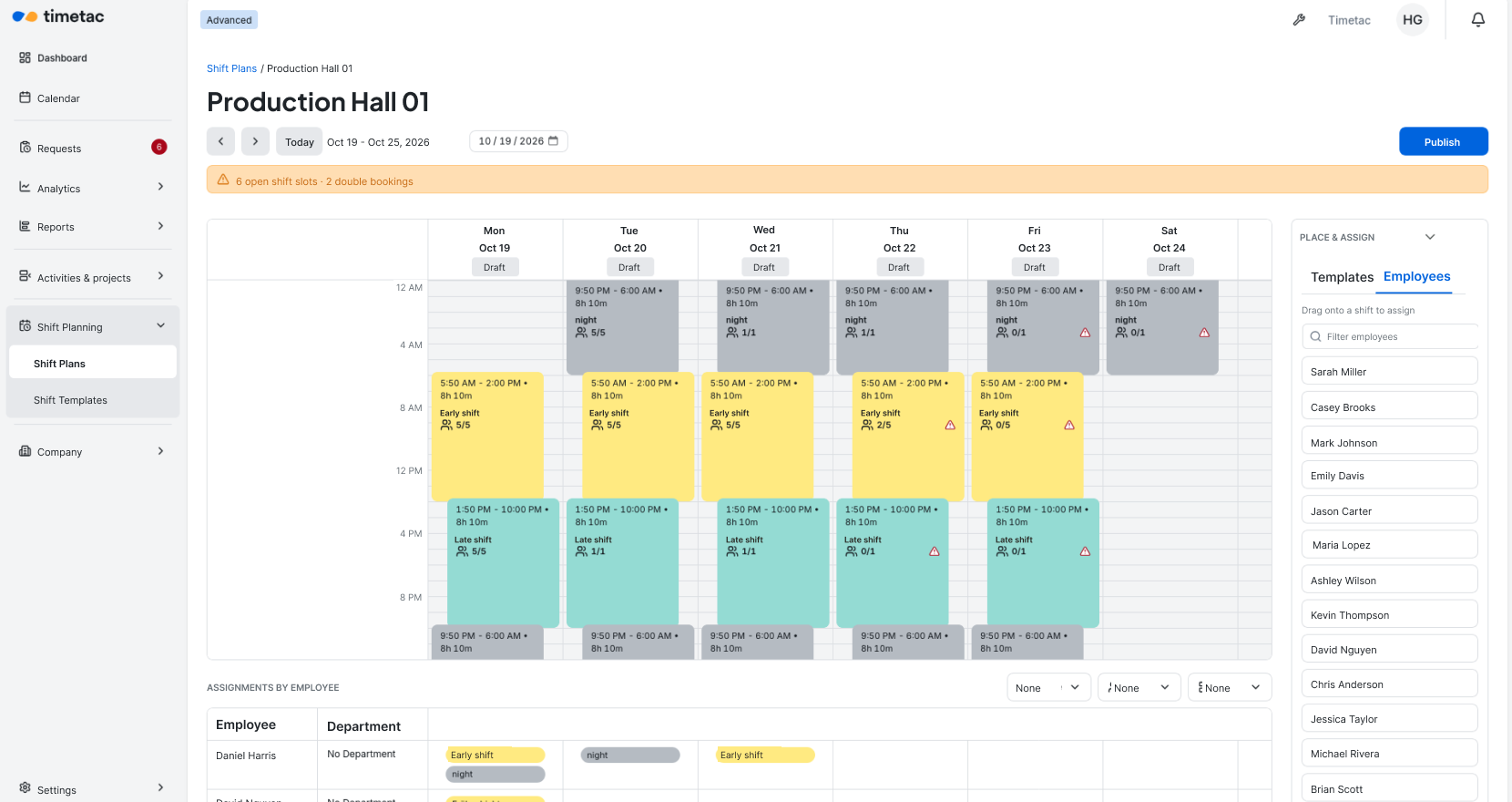
TimeTac Shift Planning: weekly overview with color-coded shifts for a production team
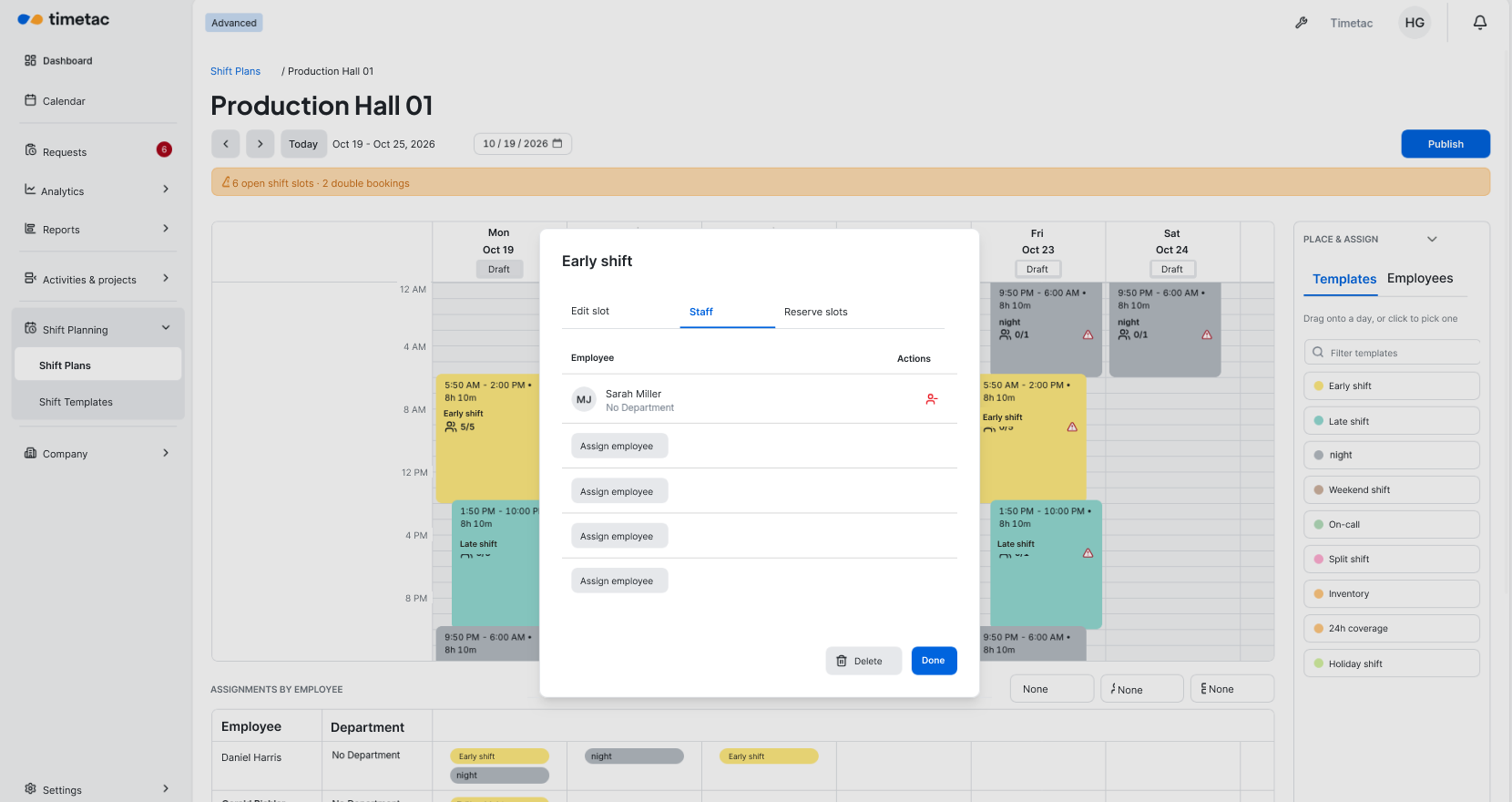
TimeTac Shift Planning: staffing an early shift for one location, with assigned employees and open slots
TimeTac Shift Planning: shift schedule filtered by location for multi-location scheduling
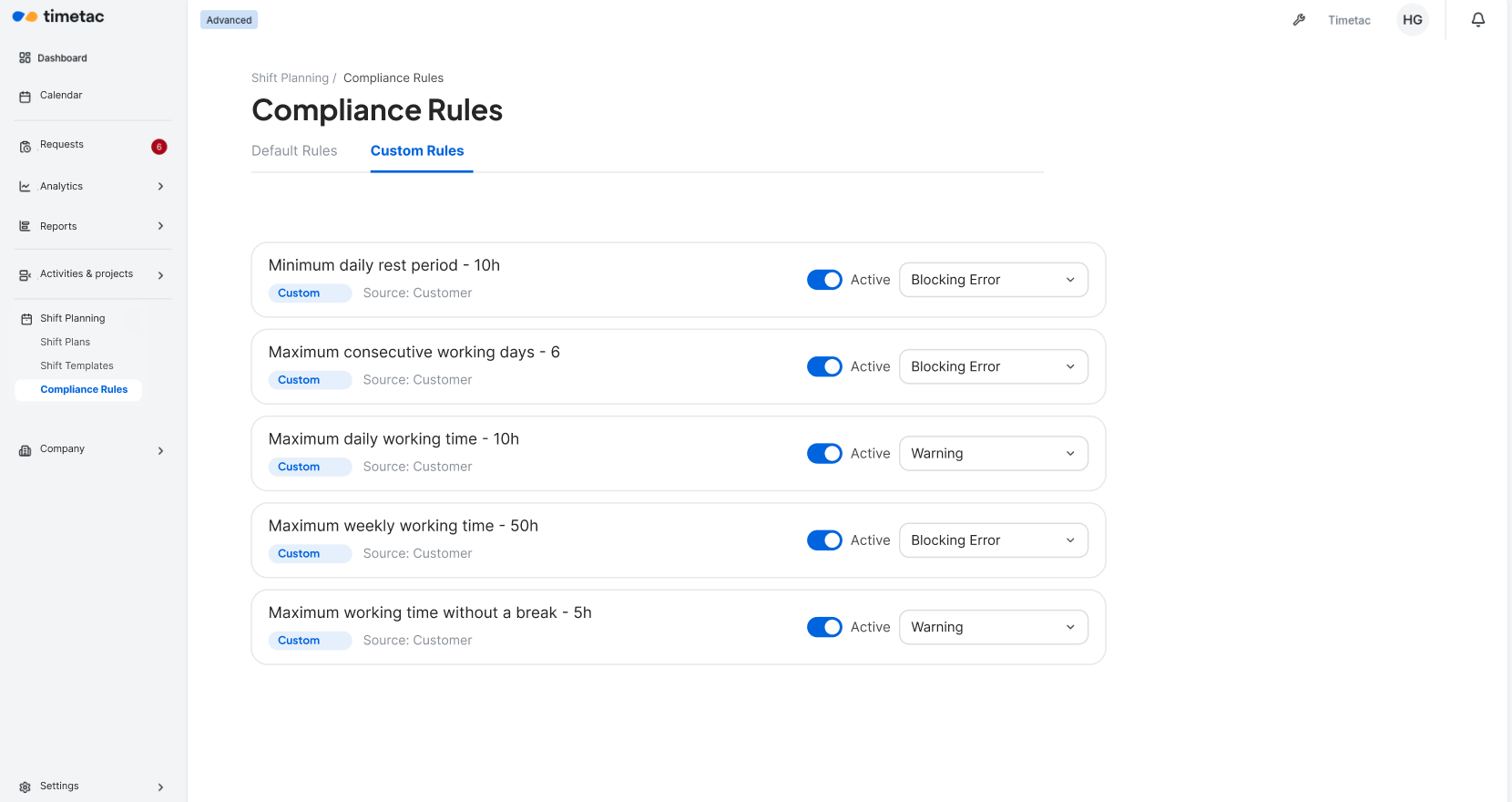
TimeTac Shift Planning with rules for rest between shifts and working hours that can be turned on or off
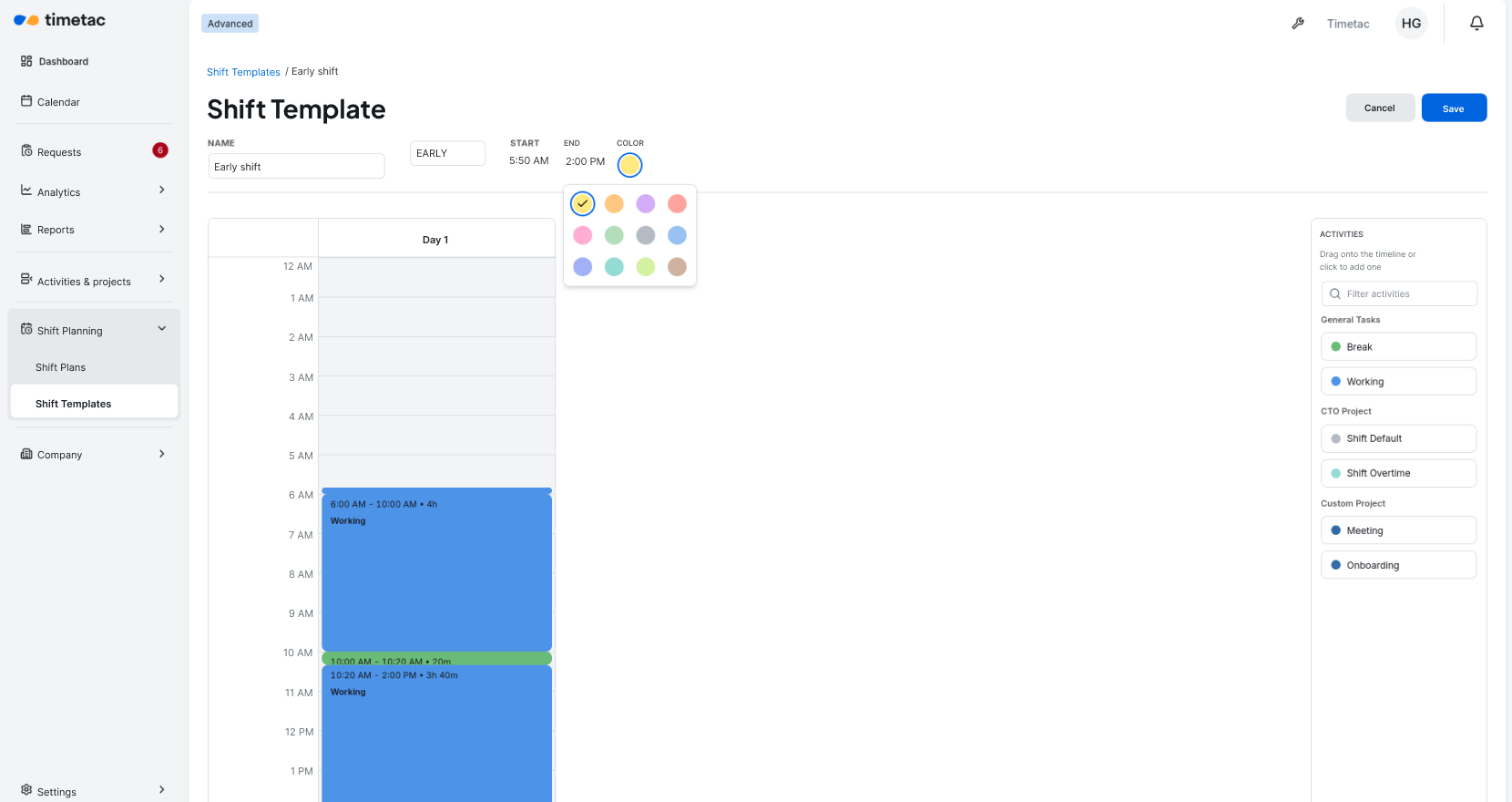
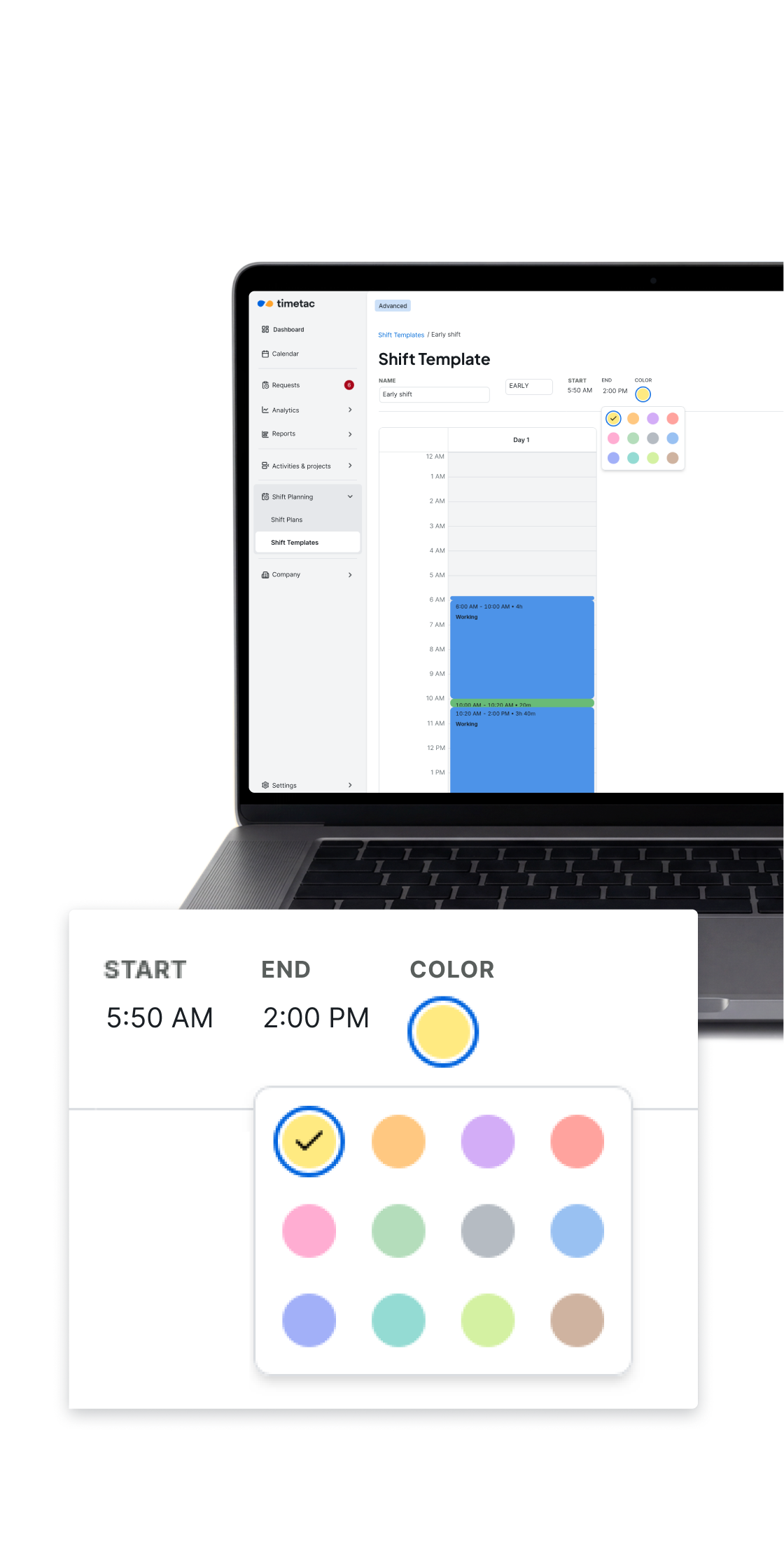
TimeTac Shift Planning: shift template with a set time block for a reusable shift
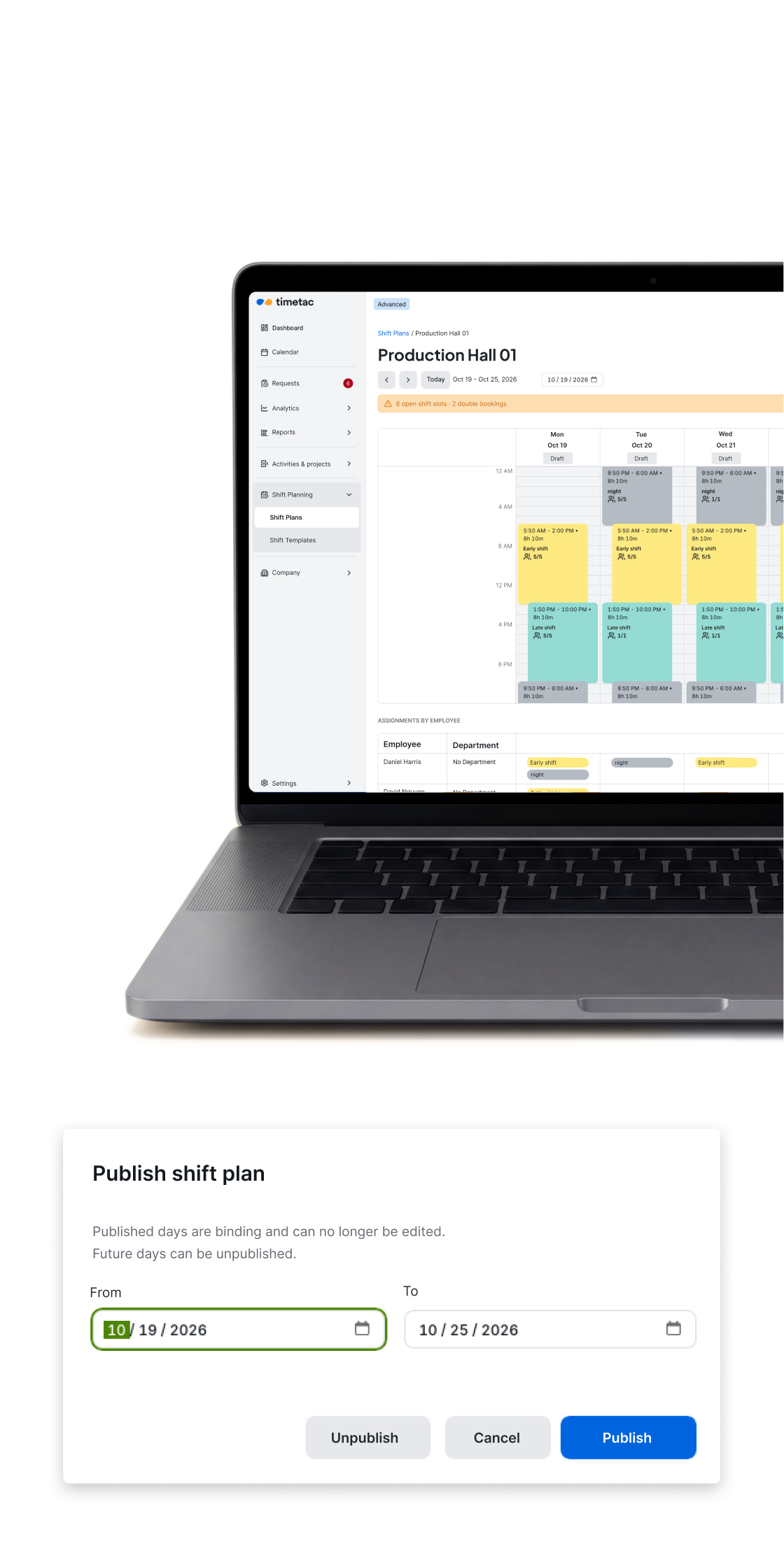
TimeTac Shift Planning: confirmation dialog for publishing a reviewed shift schedule
TimeTac Shift Planning: staffing an early shift for one location, with assigned employees and open slots
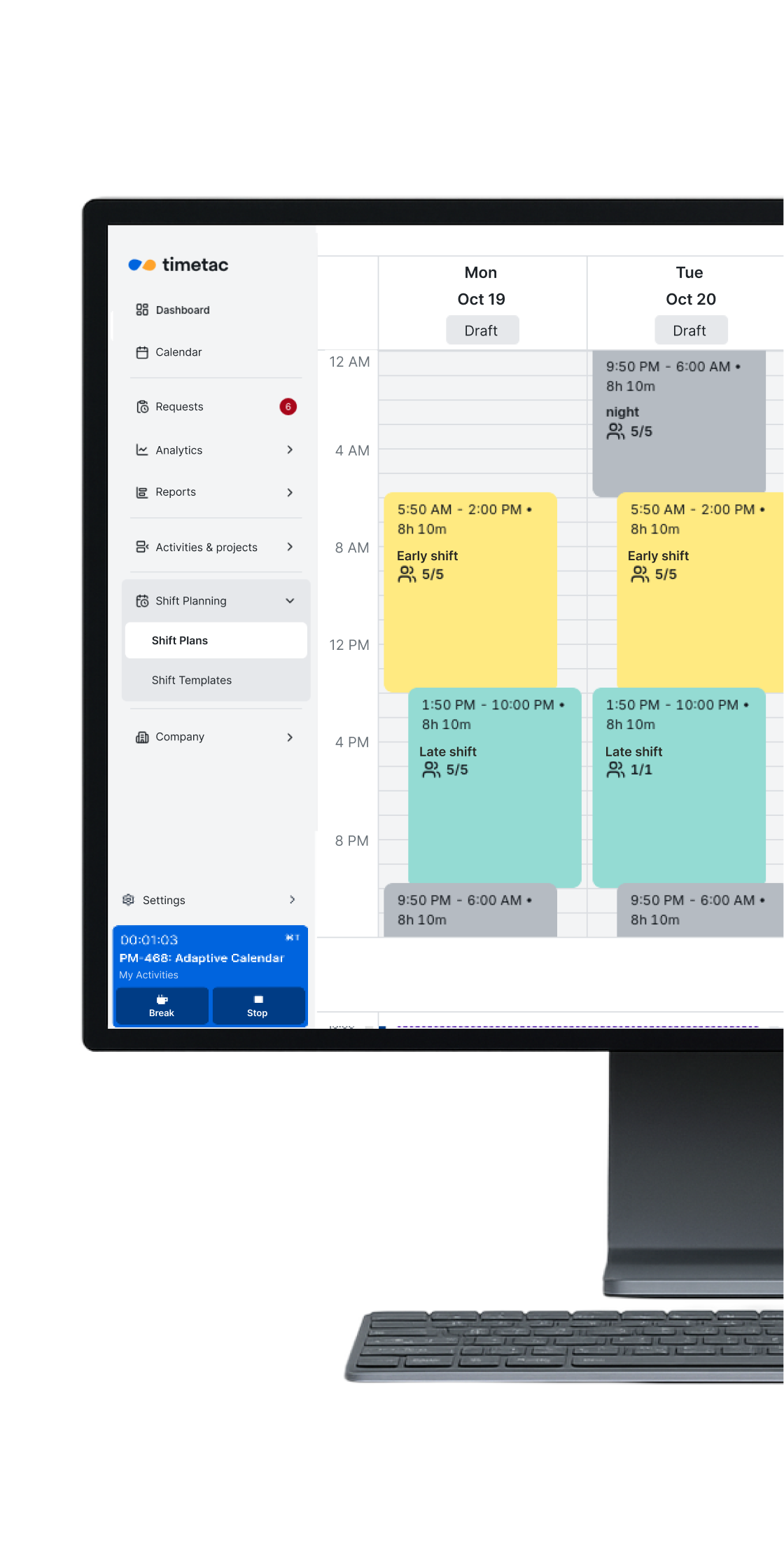
TimeTac Shift Planning: weekly overview with color-coded shifts for a manufacturing team
TimeTac Shift Planning: weekly overview with color-coded shifts for a production team
working hours recorded in 2025
0 M
Companies trust TimeTac
0 k+
People who use TimeTac every day
0 k+
Years of experience you can rely on
0 +
Shifts are complex. Your plan doesn't have to be.

Ready for shift schedules without Excel and paper chaos?

Built for every kind of shift

Your online shift scheduling tool, built right into your time tracking
Employee creating a digital shift schedule on a tablet

Plan shifts that fit your business

Set up morning, evening and night shifts once as templates, including breaks and overnight shifts that cross midnight. Rotating patterns then fill in automatically, week after week.
  • Templates for morning, evening and night shifts
  • Set up recurring shifts just once
  • Overnight shifts that cross midnight, scheduled correctly
Two employees working together on a laptop in a warehouse

Catch rule conflicts before you publish

Set your own rules for rest between shifts and maximum working hours, and TimeTac checks them while you plan. Time-off conflicts are flagged too, before a schedule goes live.
  • Your rest-time rules, checked automatically
  • Checks run while you plan
  • Time-off conflicts flagged automatically
  • Warning before you publish
Store owner checking time tracking on a tablet in her clothing store

Staff every shift with the right skills

Set how many people each shift needs and which qualifications they must have, such as a valid driver’s license for delivery shifts. TimeTac alerts you when a shift is understaffed.
  • Minimum staffing for every shift slot
  • Required qualifications for each shift
  • Alerts when a shift is understaffed
Two employees reviewing work together on a laptop in the office - teamwork with digital time tracking

Schedule every location in one system

TimeTac organizes branches, buildings and teams in one clear structure, so you can see every location at a glance. Shift schedules appear right in the TimeTac calendar you already use, no second tool needed.
  • Organize locations and teams clearly
  • See shifts right in your time tracking calendar
  • One system instead of two
TimeTac logo

A scheduling mistake caught after publishing costs time, money and trust. TimeTac flags conflicts automatically. Before you publish, not after.

Book a demo
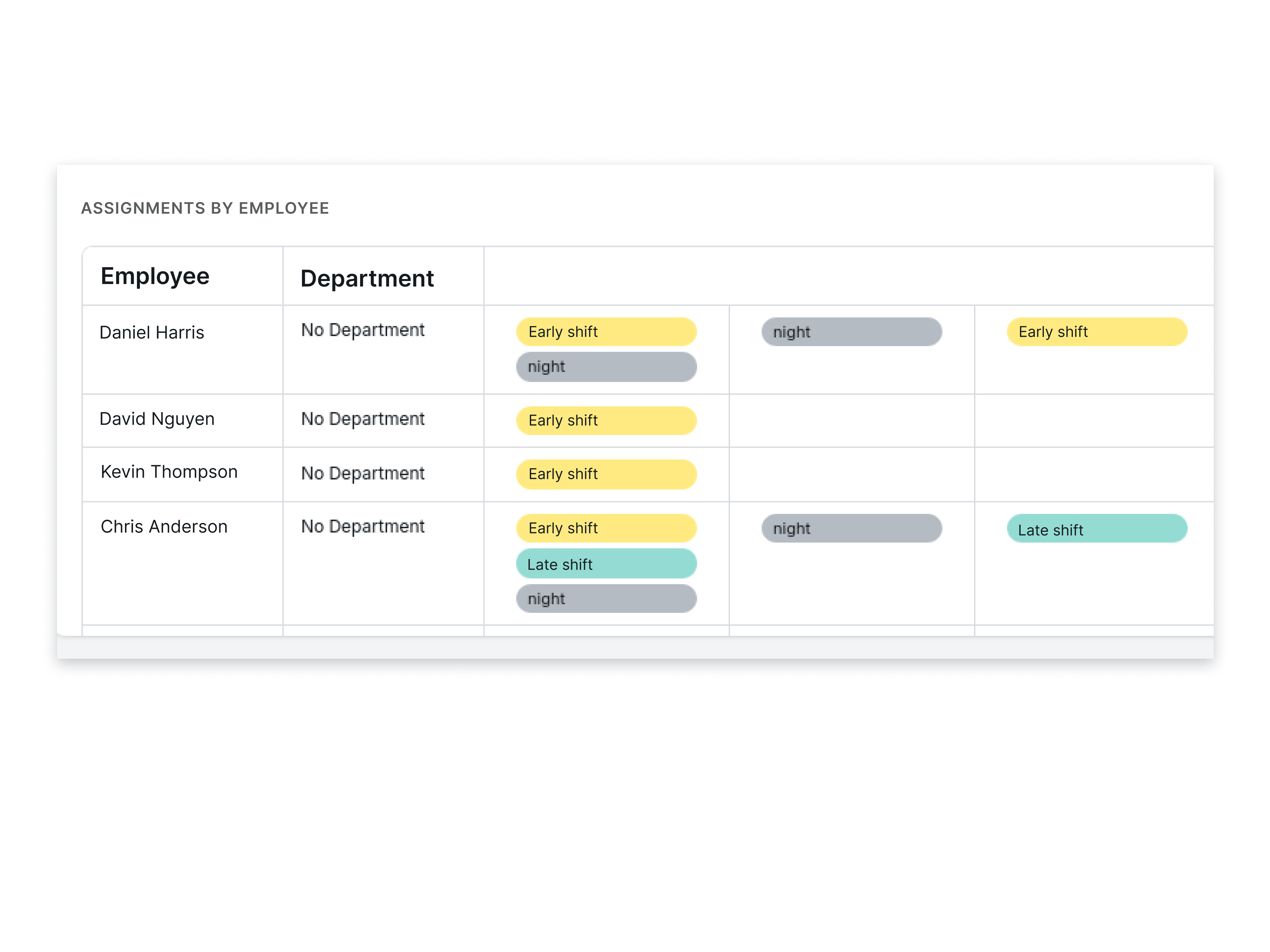
TimeTac Shift Planning: table of shift assignments by employee and department, with early, late and night shifts

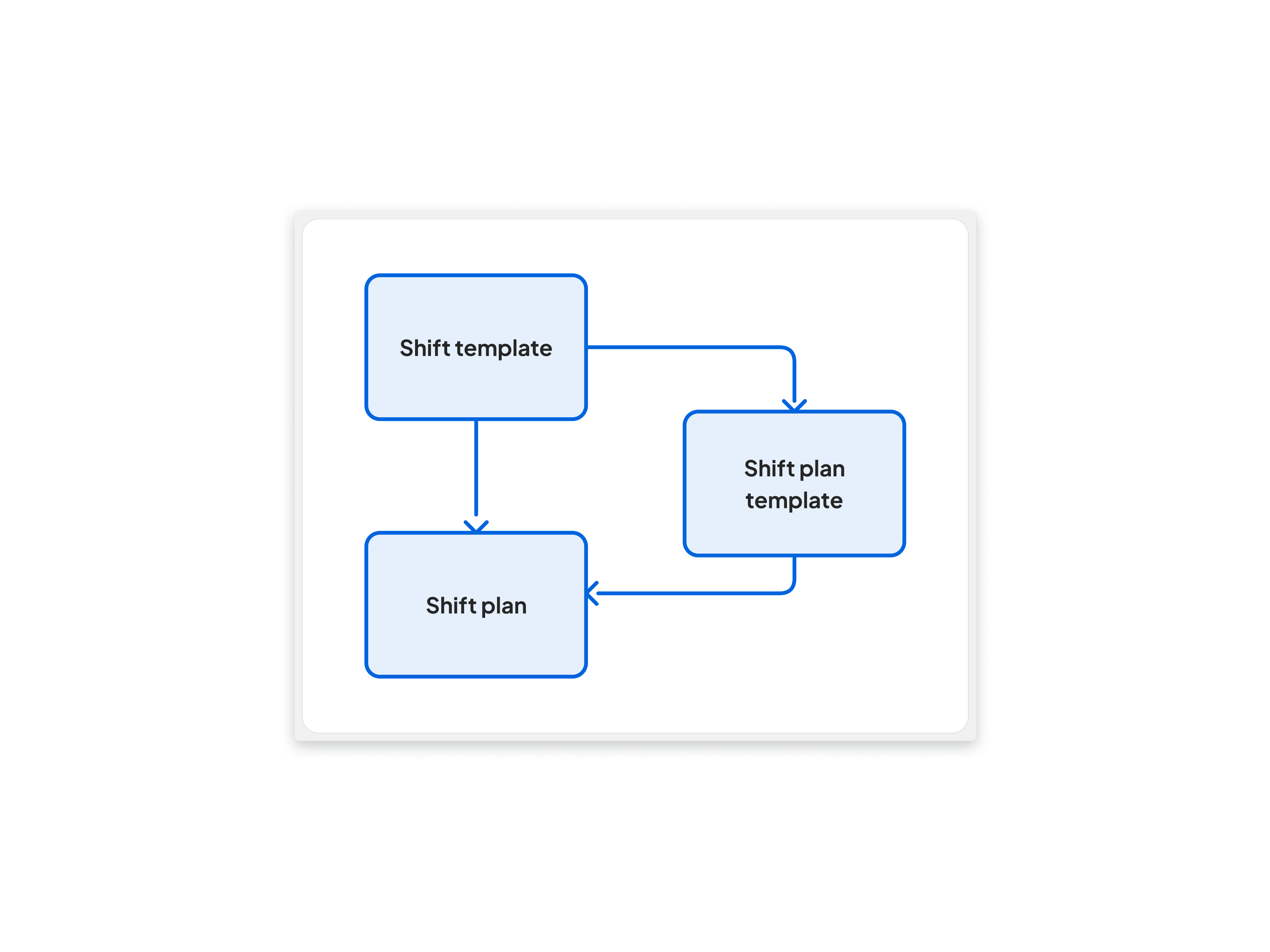
Shift templates

  • Overnight shifts recorded correctly
  • Set minimum staffing right in the template
  • Mark templates as on-call shifts
  • Reusable for every team
  • Export schedules as a PDF for the break room board
Rotating shift schedule diagram

Rotating shift schedules

  • Set up your rotation once
  • Shift patterns carry over automatically to upcoming schedules
  • Make changes anytime
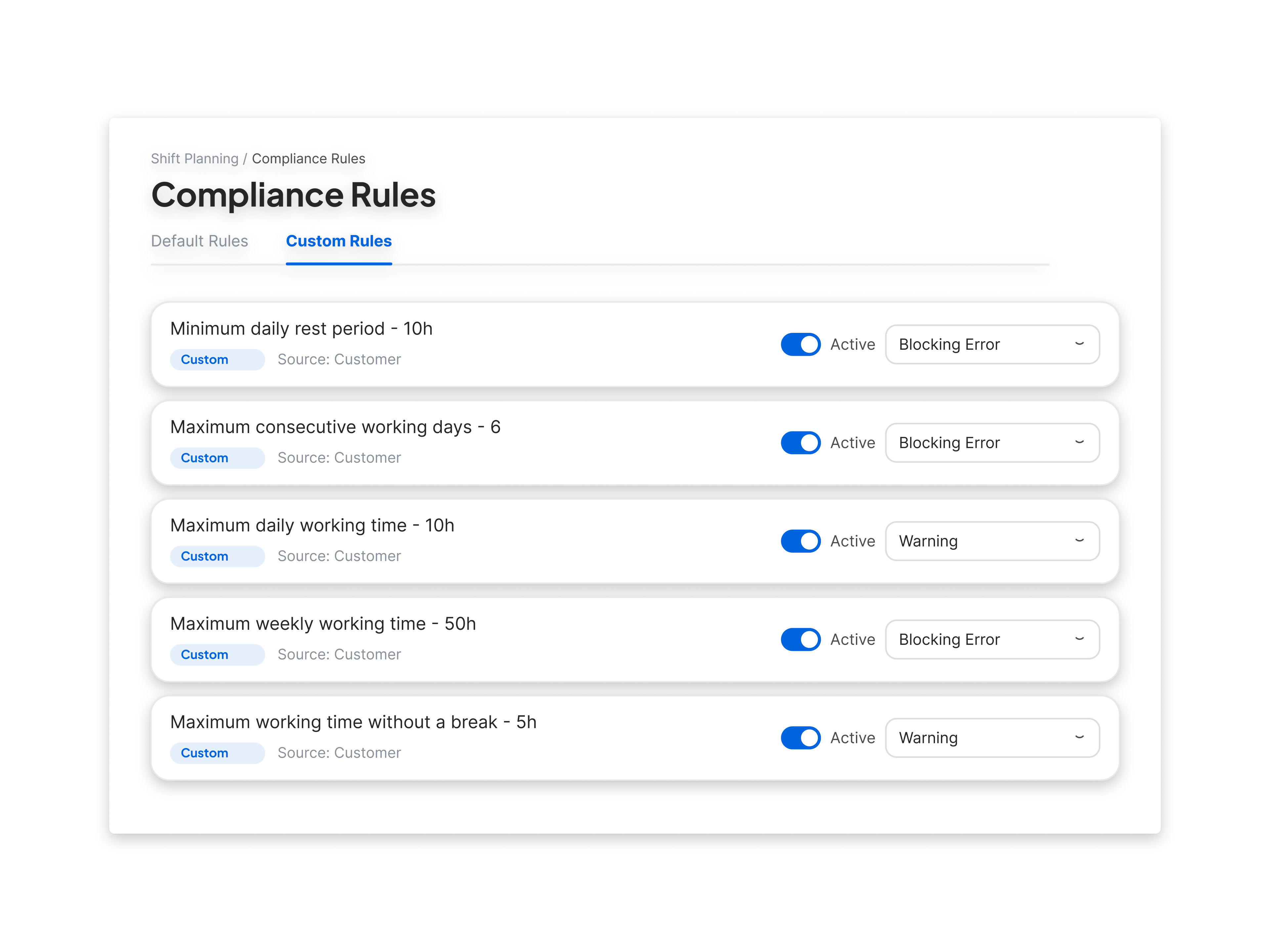
Compliance Rules screen with custom rules for rest periods and working hours

Scheduling rules

  • Rest between shifts checked automatically
  • Conflicts flagged while you plan
  • Rules that block or just warn
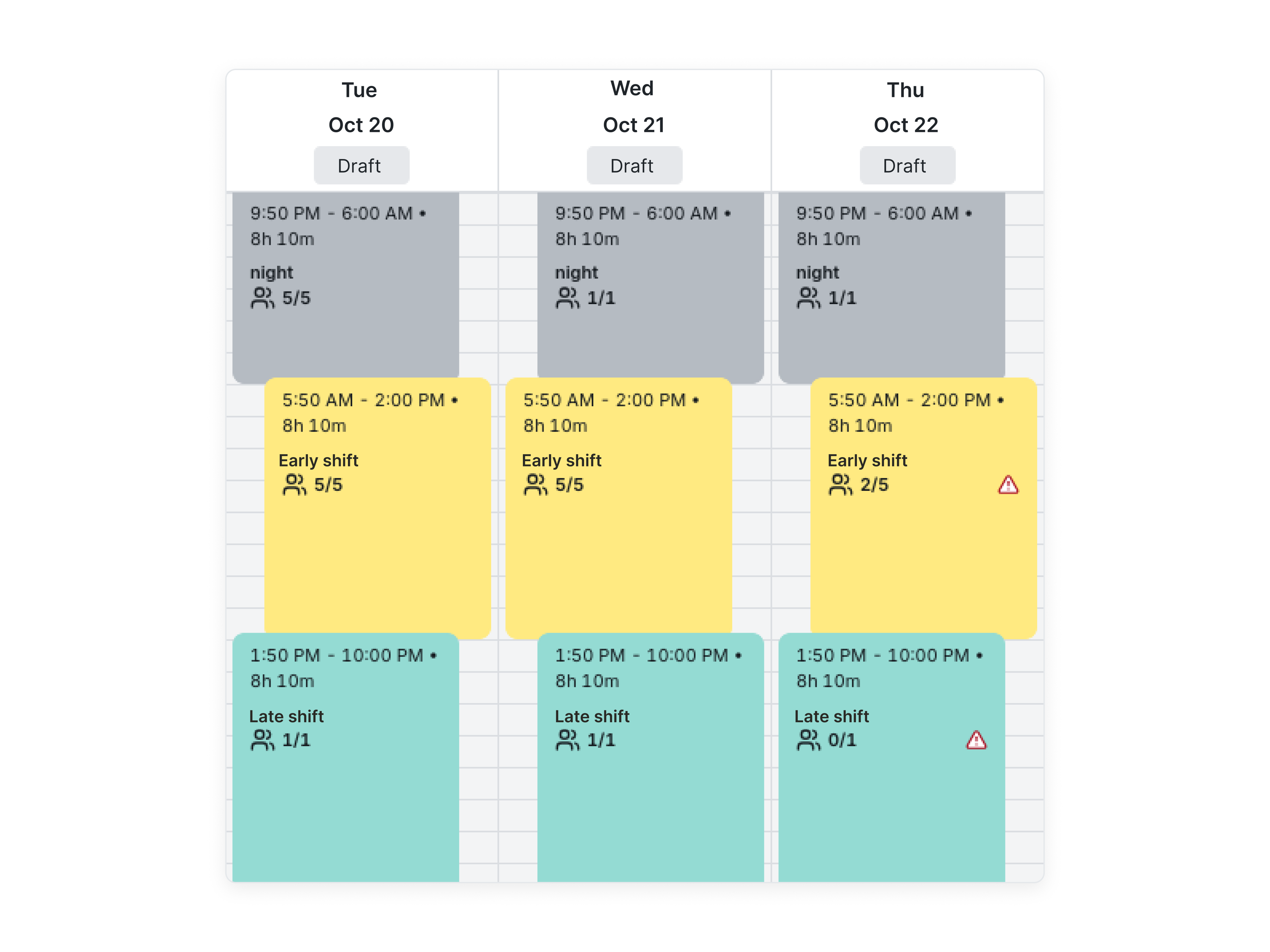
TimeTac Shift Planning: shift schedule with night, early and late shifts over three days, with warnings on understaffed shifts

Qualifications

  • Set requirements for each shift
  • Filter employees by required qualifications
  • Status at a glance
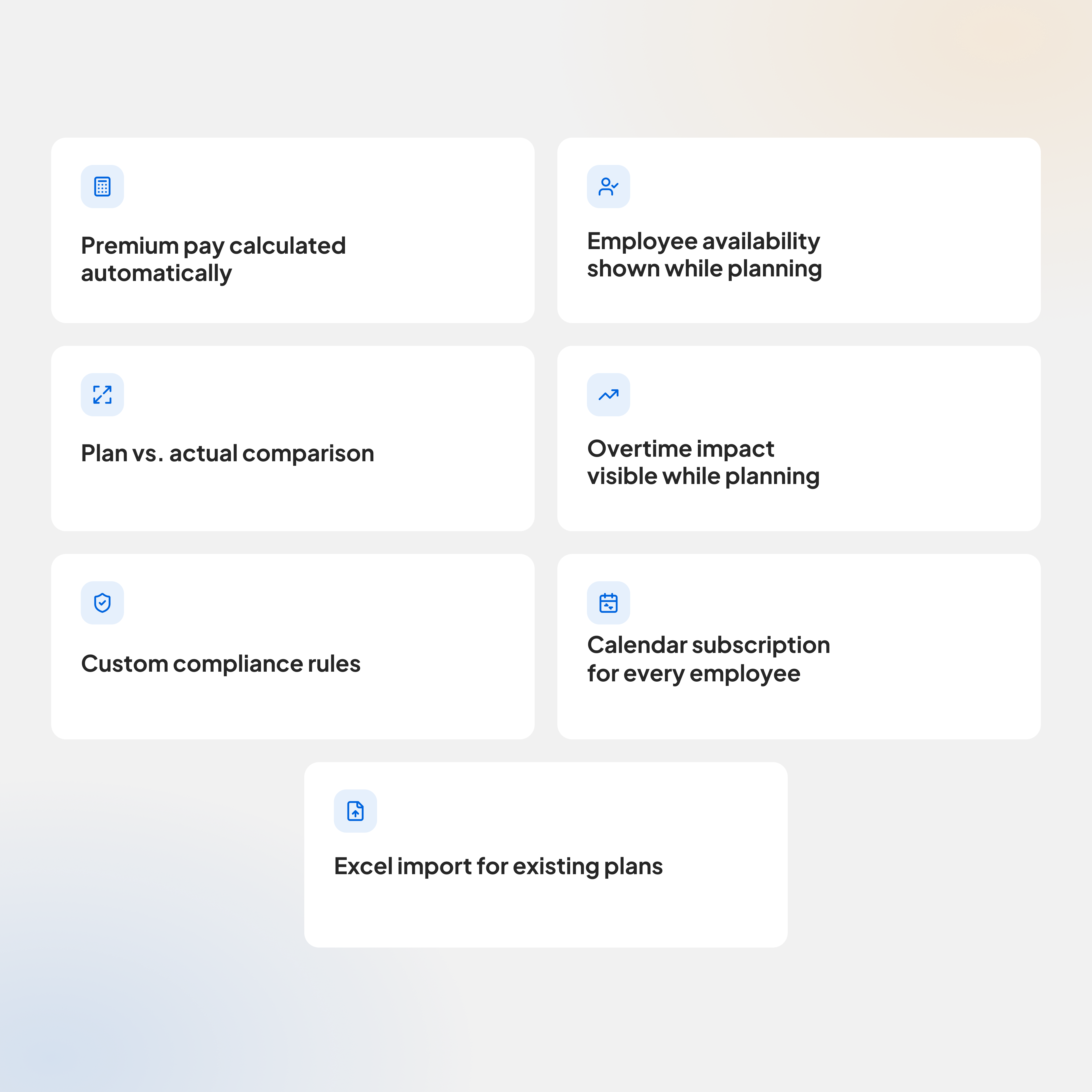
Features in the works for TimeTac Shift Planning: premium pay, employee availability, plan vs. actual, overtime impact, custom compliance rules, calendar subscription and Excel import

What's next for Shift Planning

We’re continuously expanding Shift Planning in TimeTac. These features are already in the works.

Want to stay in the loop? Contact us and we’ll keep you posted.

Track time the way you want.

Multiple time tracking methods – choose what fits your day-to-day work.

terminal smart
Ready to go right away

Delivered preconfigured
and ready to use immediately.

On the go

One tap when entering or
leaving – and time is tracked.

terminal advanced
Intuitive to use

Ready to go without training –
everyone clocks correctly right away.

Tamper-proof

Track tamper-proof with fingerprint or chip
.

TimeTac app for mobile time tracking shows live status of employees and running project time
Track anywhere

Clock time via smartphone
– in the office,
on the go or
from home.

Location verification

Clock time via GPS & geofencing –
legally compliant and with no rework.

Also offline

Track time seamlessly,
even without an
internet connection.

app mobil right
iOS & Android

Free on the App Store &
Google Play, incl. Apple Watch.

Everything in one app

Times, leave, projects –
no switching tools.

Time tracking in the browser on laptop without installation
No installation required

Start directly in the browser –
on any PC, Mac or tablet.

Device-independent

Windows, Mac, Linux –
runs anywhere, no setup required.

Always synced

Bookings visible immediately –
for employees and HR.

laptop right
Ideal at your desk

Track time with a click,
without an app or terminal.

Full feature set

Times, projects, leave –
full functionality in the browser.

TimeTac Tracker time tracking cube for recording project times by turning
Simply turn

Track project time with a
hand movement.

Never forget again

Sits visibly on your desk
and reminds you to track.

Up to 8 activities

Assign each side individually
to a task.

Side view of the TimeTac time tracking cube for project time tracking
6 months of battery life

Charge once –
no need to think about it for months.

Stay in the flow

No clicking, no searching –
work without interruption.

NFC sticker for time tracking via smartphone tap
Clock with one tap

Hold your smartphone up to the NFC sticker,
chip or tag –
clocked instantly.

Tamper-proof

Bookings only possible directly on site
– reliably documented.

Precisely assigned

Automatically assign times to the
right location or
project.

Removable NFC sticker with break symbol, flexibly deployable and usable even without an internet connection
Flexible to use

Attach to machines, doors
or meeting rooms
.

Even without a network

Offline-capable, automatic
synchronisation in the background.

Do you still have questions? Please feel free to contact us!

Logo trusted.de

| 4.5

logo omr reviews

| 4.6

Logo capterra

| 4.7

Logo google

| 4.6

Frequently asked questions.

A good schedule balances staffing needs, employee skills and certifications, availability, and overtime. In TimeTac, you create shift templates once and set the minimum staffing and required qualifications for each shift. TimeTac warns you about understaffed shifts and scheduling conflicts before you publish the schedule.
Besides coverage, keep an eye on overtime, break rules, and any local scheduling regulations. Shift Planner helps you plan around staffing needs, employee qualifications, and absences, and warns you about conflicts before you publish the schedule.
Requirements depend on where you operate, your industry, and your company size. Some regions require schedules to be posted a set number of days in advance, often two weeks, and may require extra pay for late changes. Check the rules that apply to your locations. Once you publish a schedule in Shift Planner, TimeTac automatically notifies your employees by email and in-app notification.
No. When a schedule is published, TimeTac notifies employees of their shifts and any later changes by email and in-app notification. They can also view their shifts in the mobile app at any time.
Yes, Shift Planner works independently of other TimeTac modules. It’s most powerful combined with time tracking: scheduled shifts appear next to tracked hours in the same calendar, so differences between planned and actual time are visible right away.
Shift Planner is currently being rolled out step by step to existing and new customers. Contact us if you’d like to be among the first to get access.
EARLY ehemals Timeular ist jetzt Teil von TimeTac

Were you heading to early.app? You are in the right place. EARLY is part of TimeTac now.

Read more