Employee time tracking

Features /

4.6/5 Reviews

Time tracking  that doesn't feel like extra work

When time tracking is this easy, people actually do it. The auto-tracker logs hours automatically, while the tracking cube lets you switch tasks with a simple turn.

Four user portraits next to a circle with "10k+" indicating more than 10,000 TimeTac users

Over 10,000 companies trust TimeTac.

No credit card required. No hidden costs.

Employee time tracking
Mobile TimeTac interface showing weekly working time statistics, a bar chart, project details, and active break and stop controls
Real-time overview
Overview of working hours, overtime, absences, and sick leave.
Privacy by design
Your team’s privacy stays intact. No screenshots, no keystroke monitoring.
Simplified payroll
Calculate hours automatically and transfer them directly to payroll.
canon color 4x
greenpeace color 4x
Mitsubishi color 4x
samsung color 4x
segafredo color 4x
wwf color 4x
TimeTac dashboard displaying weekly working hours summary, activity log, overtime tracking, and compliance status
TimeTac mobile dashboard showing total hours this week, daily breakdown, active projects, and compliance alerts
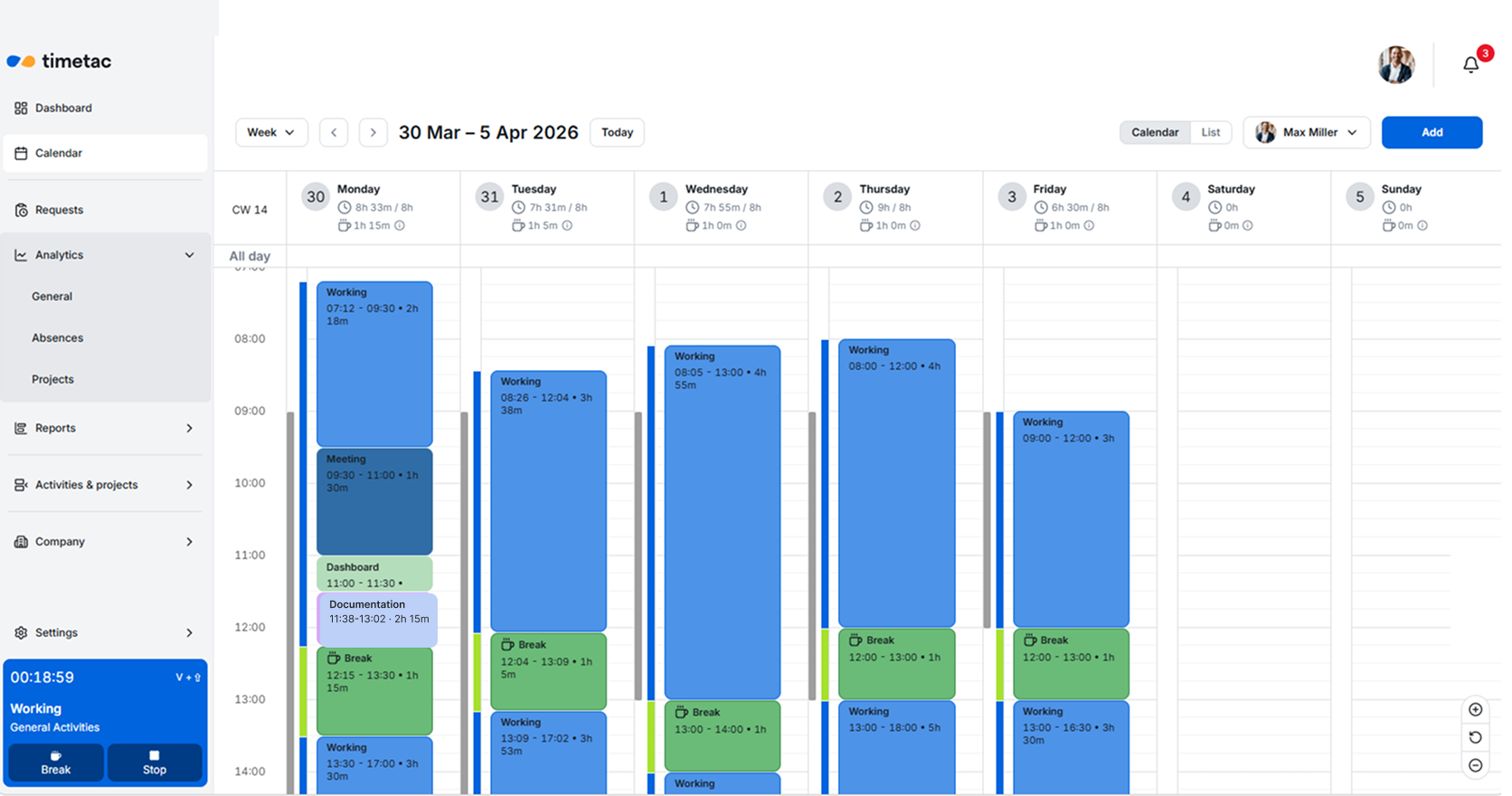
TimeTac calendar week view with a bar chart of recorded working hours and color-coded time blocks per day
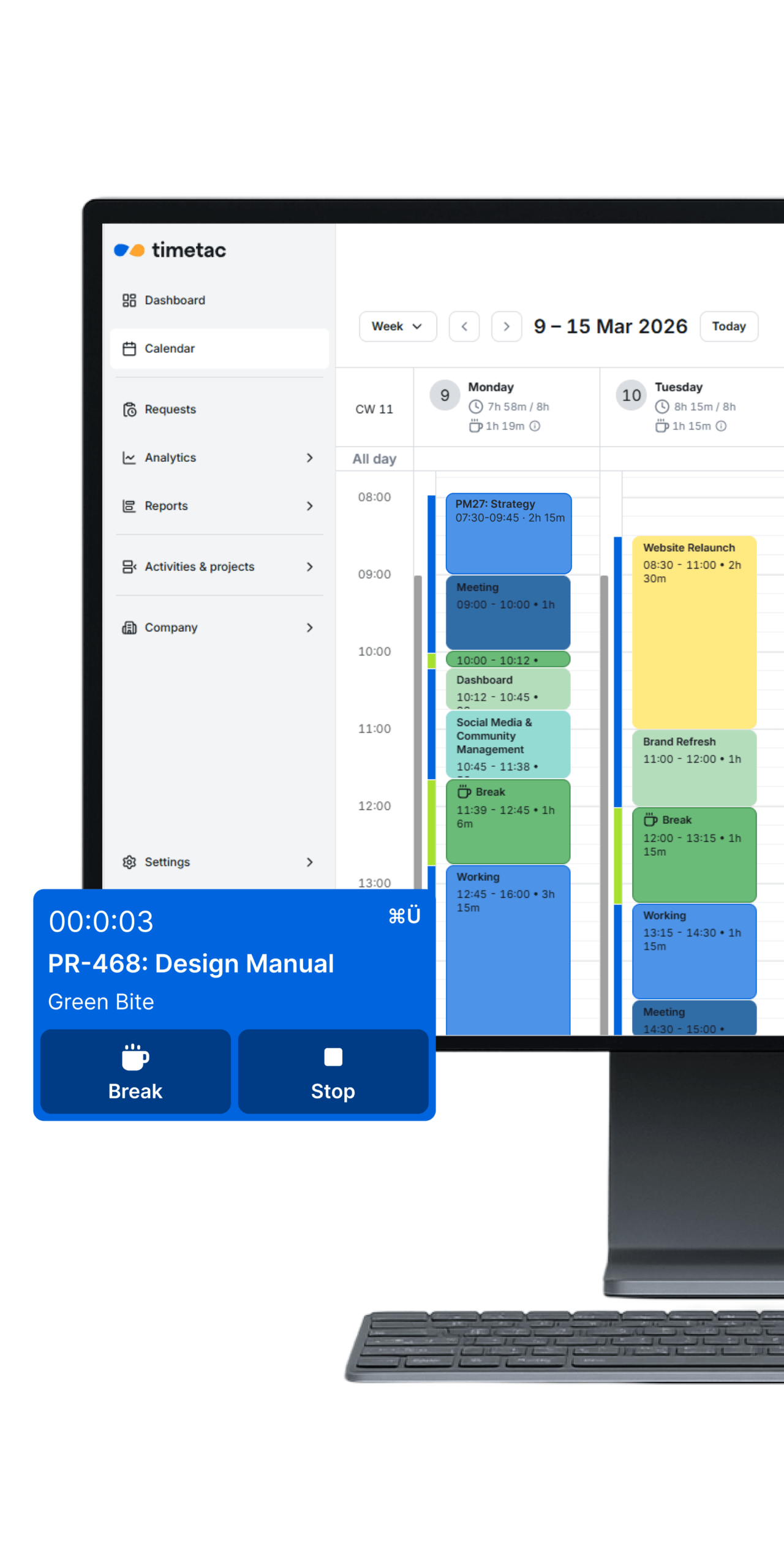
TimeTac calendar in week view on monitor displaying color-coded time blocks, running timer for current task, and weekly hours summary
TimeTac timesheet view showing daily working hours, break times, daily and weekly totals, and overtime calculations in detailed table
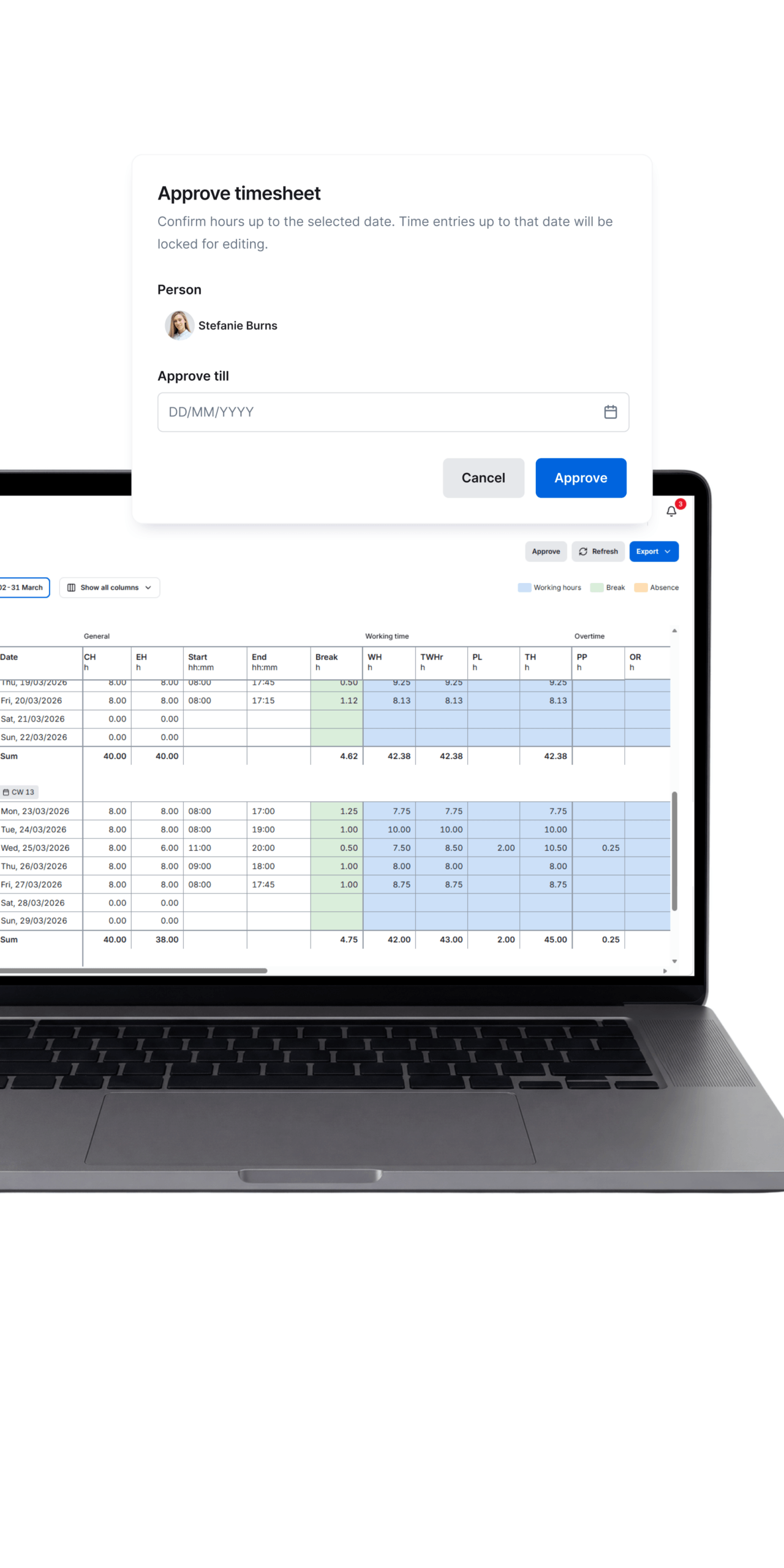
TimeTac timesheet on laptop displaying target and actual working hours by day, breaks taken, totals, and overtime overview
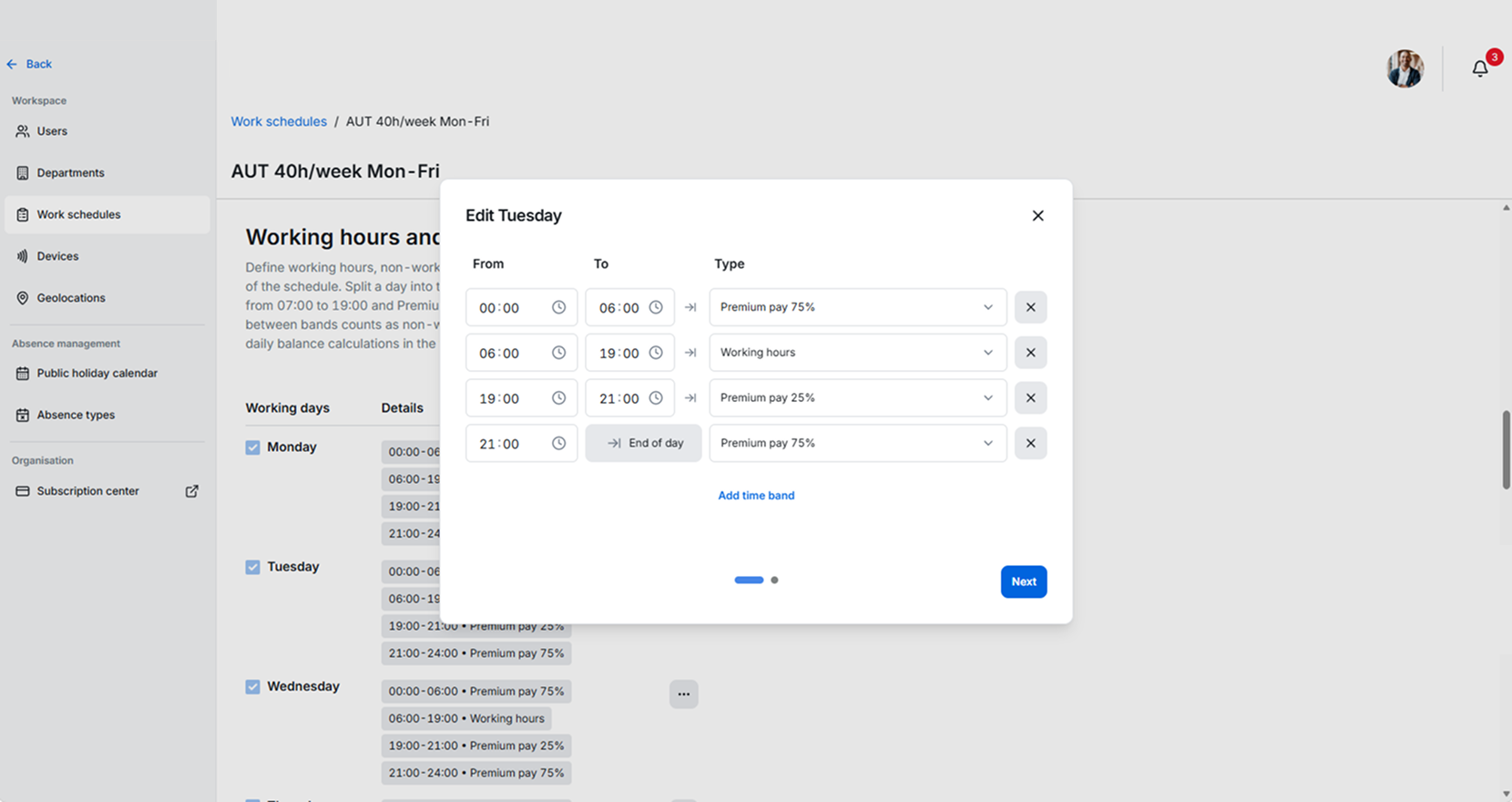
TimeTac interface showing complex work schedule model configuration with surcharge settings, time ranges, and rate rule definitions
TimeTac software interface for configuring surcharges, pay premiums, and collective agreement terms in detailed settings panel
TimeTac dashboard displaying weekly working hours summary, activity log, overtime tracking, and compliance status
TimeTac mobile dashboard showing total hours this week, daily breakdown, active projects, and compliance alerts
Our solutions adapt precisely to your needs
0 %
Companies trust TimeTac
0 k+
People who use TimeTac every day
0 k+
Years of experience you can rely on
0 +
Test TimeTac free for 30 days with no obligation.

Higher productivity. Less administrative effort. More transparency.

From first hour logged to payroll without the manual work.

Man in blazer checking time on wristwatch while holding smartphone, managing work hours with TimeTac employee tracking

Track and manage work hours.

Track work hours live, automatically or retroactively, wherever your team works. Every hour captured correctly, whether in the office, on the go or working from home.
  • Track flexibly via app, web or a physical tracker
  • Supports any work model simple or complex
  • Built for easy adoption, intuitive for the whole team
Woman in light blouse working at desk with laptop and tablet, viewing full visibility of work hours through TimeTac time tracking software

Full visibility into work hours – and anything that's off.

Keep work hours, overtime and absences in view at all times. Spot issues early, stay on top of your team’s availability, and make decisions based on accurate data.
  • See work hours live – always up to date
  • Calculate pay rates correctly – per employee or role
  • Spot issues early – overload or discrepancies
Man leaning back relaxed in chair at bright office desk, free from manual time logging burden with TimeTac automatic background tracking

Hours ready for payroll – no corrections, no back-and-forth.

Prepare work hours for payroll automatically. Fewer manual corrections, less time at month-end, and no back-and-forth over missing data.
  • Calculate hours automatically – no rework required
  • Export directly to payroll systems
  • Speed up month-end close – less manual effort
TimeTac logo

Trusted by 10,000+ teams worldwide. Real human onboarding included on every plan.

Start now
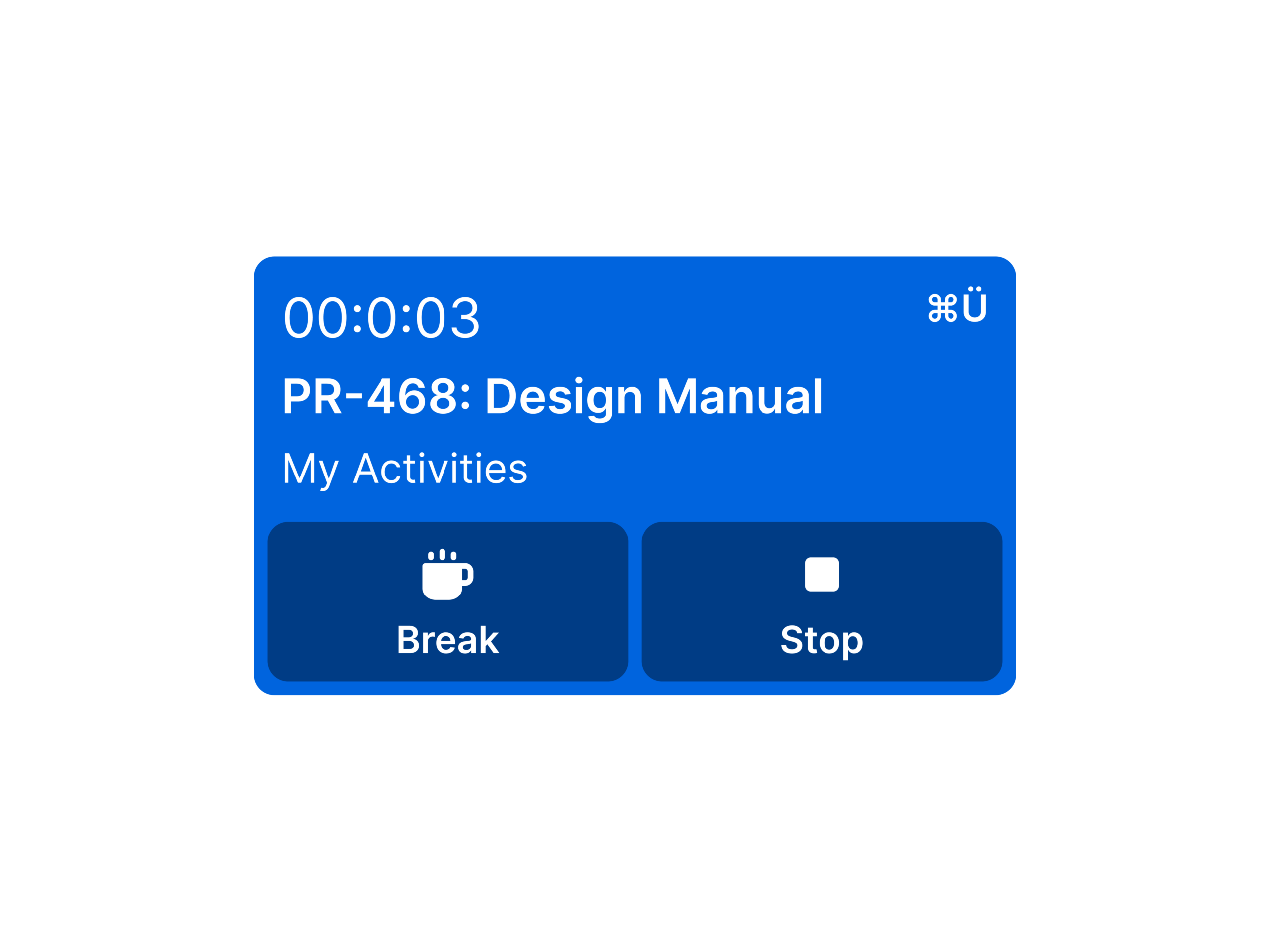
TimeTac Quicktrack: records working hours for Project Kobra with pause and stop buttons

Know your team's hours – without asking for them.

  • Automatic, live or retroactive time tracking
  • Log time to tasks and projects
  • Status overview: who is working, on a break or absent
TimeTac work schedules view showing list of configured schedules alongside calendar grid with assigned working days and target hours

Flexible enough to match any work model.

  • Manage work time models flexibly – target hours, core hours and more
  • Define break rules and paid breaks
  • Set overtime rules per employee or team
Alt: TimeTac overview of compliance violations with two open violations from last week and status of the current week

Overtime and premiums that add up right.

  • Track and evaluate overtime automatically
  • Calculate pay premiums based on rate or ruleset
  • Handle complex agreements accurately
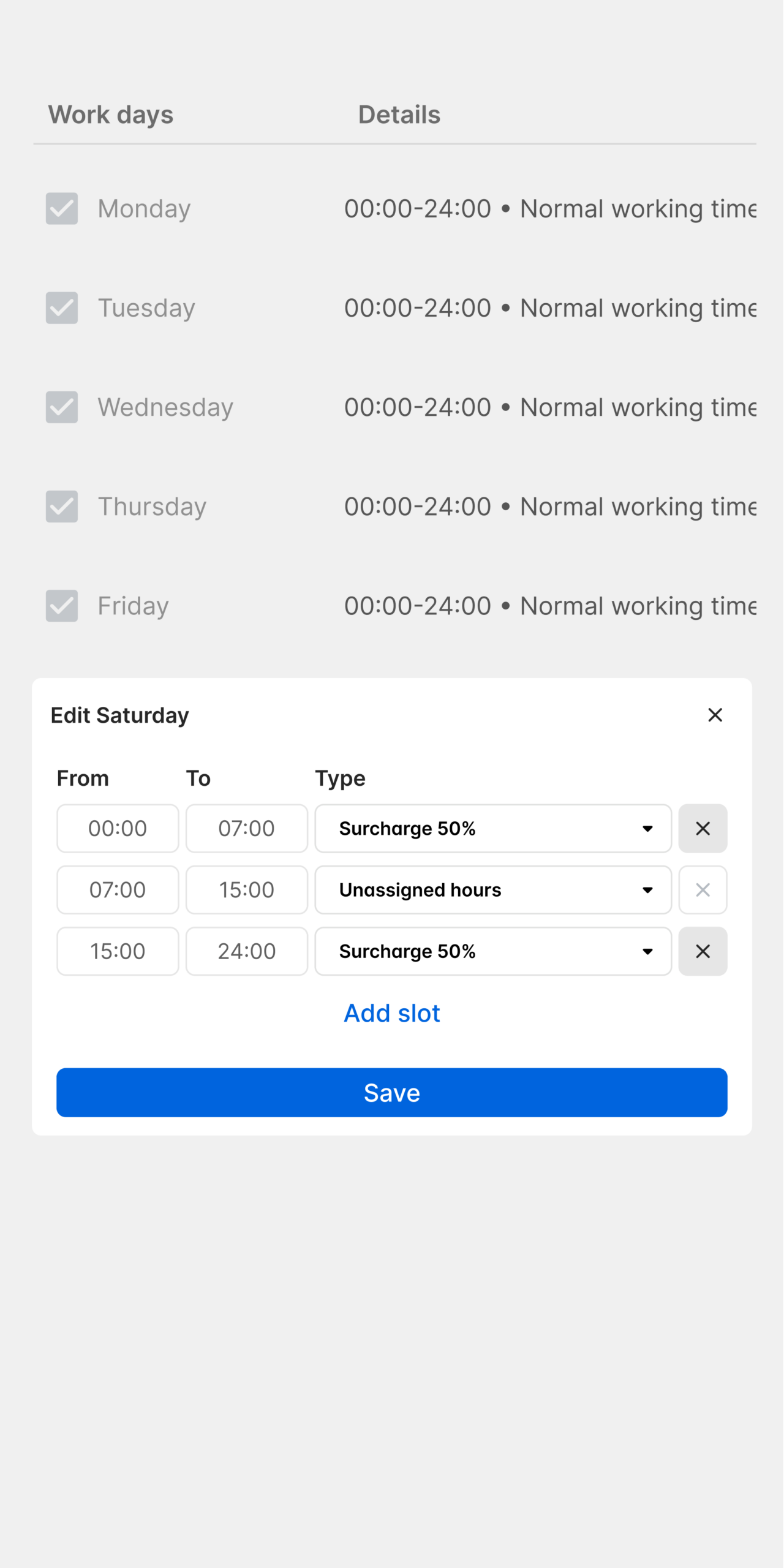
TimeTac dialog for configuring Saturday surcharge rules with time range settings, surcharge type selection, and save button

Work hours ready to report and act on.

  • View working time balances by day and by month
  • Complete time settlement directly for payroll processing
  • Reports by employee, department, or time period

Clean data & efficient payroll – thanks to integrations & API

More integrations

Don't take our word for it

Over 150,000 people track their time with TimeTac every day.

“Since implementing TimeTac, we’re always up to date across the entire HR department at the push of a button – no more lagging behind for months. Capacity and vacation planning have also improved. It gives the company greater confidence and a modern edge.”

Mag. Wolfgang Lang
Head of HR,
TCM International
image mag. wolfgang lang tcm

“TimeTac is flexible and perfectly adapts to our needs. The service is incredibly fast and hassle-free. We’re completely satisfied and highly recommend TimeTac!”

Prisca Naescher
HR Business Partner,
Samsung Schweiz
image review samsung

“We’ve become 20% more profitable because time tracking with the cube has become a habit for us.”

Richard Wingfield
Head of Tech,
Envision Design

Get started with TimeTac in just 4 steps.

1

Step 1

Create Account
Register for free with no obligation.
2

Step 2

Discover TimeTac
Get to know the features of TimeTac.
3

Step 3

Invite Employees
Invite your team by email or Excel.
4

Step 4

Customize settings
Select the right working-time model.
Start now

Track time the way you want.

Multiple time tracking methods – choose what fits your day-to-day work.

terminal smart
Ready to go right away

Delivered preconfigured
and ready to use immediately.

On the go

One tap when entering or
leaving – and time is tracked.

terminal advanced
Intuitive to use

Ready to go without training –
everyone clocks correctly right away.

Tamper-proof

Track tamper-proof with fingerprint or chip
.

TimeTac app for mobile time tracking shows live status of employees and running project time
Track anywhere

Clock time via smartphone
– in the office,
on the go or
from home.

Location verification

Clock time via GPS & geofencing –
legally compliant and with no rework.

Also offline

Track time seamlessly,
even without an
internet connection.

app mobil right
iOS & Android

Free on the App Store &
Google Play, incl. Apple Watch.

Everything in one app

Times, leave, projects –
no switching tools.

Time tracking in the browser on laptop without installation
No installation required

Start directly in the browser –
on any PC, Mac or tablet.

Device-independent

Windows, Mac, Linux –
runs anywhere, no setup required.

Always synced

Bookings visible immediately –
for employees and HR.

laptop right
Ideal at your desk

Track time with a click,
without an app or terminal.

Full feature set

Times, projects, leave –
full functionality in the browser.

TimeTac Tracker time tracking cube for recording project times by turning
Simply turn

Track project time with a
hand movement.

Never forget again

Sits visibly on your desk
and reminds you to track.

Up to 8 activities

Assign each side individually
to a task.

Side view of the TimeTac time tracking cube for project time tracking
6 months of battery life

Charge once –
no need to think about it for months.

Stay in the flow

No clicking, no searching –
work without interruption.

NFC sticker for time tracking via smartphone tap
Clock with one tap

Hold your smartphone up to the NFC sticker,
chip or tag –
clocked instantly.

Tamper-proof

Bookings only possible directly on site
– reliably documented.

Precisely assigned

Automatically assign times to the
right location or
project.

Removable NFC sticker with break symbol, flexibly deployable and usable even without an internet connection
Flexible to use

Attach to machines, doors
or meeting rooms
.

Even without a network

Offline-capable, automatic
synchronisation in the background.

Do you still have questions? Please feel free to contact us!

Logo trusted.de

| 4.5

logo omr reviews

| 4.6

Logo capterra

| 4.7

Logo google

| 4.6

Frequently asked questions.

TimeTac meets the highest security and data protection standards. Data is secured to ISO 27001, so your team’s information is protected and managed with care at all times.
Yes, time can be tracked offline and automatically synced as soon as an internet connection is available.
early joins timetac

Were you heading to early.app? You are in the right place. EARLY is part of TimeTac now.

Read more